


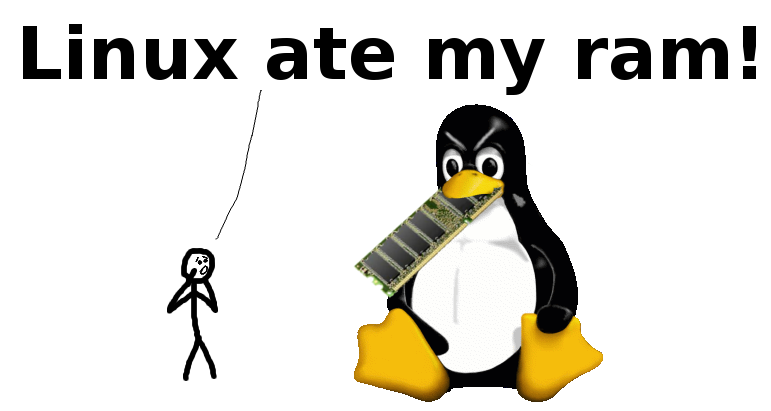
急!Linux 把我的内存吃光了!!在线等回复!!!
Don't Panic!
Your RAM is FINE!
不要恐慌!
你的内存没有任何问题!
本土化翻译
所以到底发生了什么?
与所有现代操作系统一样,Linux 会借用未使用的内存来做磁盘缓存。这让你的系统看上去好像陷入了“空闲”内存不足的窘境,但事实并非如此!一切都十分正常请坐和放宽
Linux 为什么要这样做?
总而言之,磁盘缓存除了让系统变得更快、响应更灵敏,没有任何其他缺点!除了让那些刚接触计算机、不熟悉文件系统缓存概念的用户想想你是怎么点进来看到这篇文章的)
最重要的是,它通常不会从前台应用程序那里抢走内存,相信我!你的内存真的够用!
如果我运行了更多应用程序会发生什么?
如果你的应用程序需要更多内存,内核会收回磁盘缓存先前借走的那部分内存,因此磁盘缓存随时可以立即归还给应用程序!Linux 其实没有吃掉你任何一部分内存,它只是在最大化利用空闲的内存,在你不需要用内存的时候用空闲的内存给你换更好的体验!
所以我需要更多的交换空间(SWAP 也就是虚拟内存)吗?
大概率不需要,因为磁盘缓存主要借用的是应用程序当前未占用的内存,当应用程序需要更多内存时,Linux 内核会从磁盘缓存中拿回来
当然,如果某些应用程序的内存访问频率还不如文件系统缓存高,Linux 确实有可能会把它们挤进交换内存中,但这种操作通常是为了提升性能,而并不会损耗性能
我能阻止 Linux 这样做吗?
你无法完全禁用磁盘缓存,但你可以调整 Linux 的“交换倾向”(即调整 Linux 的 swappiness 参数),大家之所以想禁用磁盘缓存,唯一的理由就是误以为它抢占了应用程序的内存——然而它并没有!
磁盘缓存能让程序加载得更快、运行得更丝滑,但它绝对、并且永远不会克扣程序的内存!因此,你完全没有理由去禁用它!
不过,如果你出于某种原因(比如测试未缓存应用冷启动的性能)需要快速清空一些 RAM,你可以用以下的命令强制 Linux 安全の丢弃缓存:
echo 3 | sudo tee /proc/sys/vm/drop_caches既然内存完全够用,为什么 top/htop/btop 和 free 命令显示的“Free”内存那么少?
这只是术语上的差异:
你和 Linux 都认为应用程序占用的内存是“Used(已用内存)”,而完全没被使用的内存是“Free(空闲内存)”
但是,对于当前正被用于某种用途(比如被拿来当做磁盘缓存的内存)、但依然可以提供给应用程序使用的内存,换作你,你会怎么描述呢?
你可能会把这类内存算作“Free”或“Available(可用内存)”,而 Linux 内核则把它描述为“Available”:
| 内存的状态 | 你称它为 | Linux 内核称它为 |
|---|---|---|
| 已被被应用程序使用 | 已用(Used) | 已用(Used) |
| 已被使用,但可以释放出来供应用程序使用 | 空闲或可用(Free or Available) | 可用(Available) |
| 完全未使用 | 空闲(Free) | 空闲(Free) |
这部分“干着别的事”的内存top/htop/btop 和 free 命令中称为“Bufferd(缓冲区)”和“Cached(缓存)”的部分
但是由于你和 Linux 的描述方式不同,你可能会在内存充裕的情况下误以为内存不足
那怎么才能看到我到底还有多少真正的空闲内存?
要查看你的应用程序在不使用交换空间的情况下能使用多少内存,请运行 free -m 并查看“available”列:
JH on Monday at 8:39 PM 0.764s MEM: 77.51% (12/16GB) { home } free -m total used free shared buffered/cached available Mem: 16000 6560 212 0 9228 9440 Swap: 1000 35.3 988(对于 2014 年及以前安装的发行版,请查看“-/+ buffers/cache”行中的“free”列)
这个值就是你的答案(单位 MiB)。如果你只是单纯地看“free”,你以为内存已经使用了 99%,但实际上它才用了 41% 罢了!
如果想从更详细、技术性的角度了解 Linux 到底把什么算作 “available”,可以参见引入该字段的提交(Commit)记录
所以我应该何时开始担心内存不够用了?
一个健康的 Linux 系统,在内存足够的情况下,运行一会后表现出以下预期且人畜?)
free内存接近0available内存(或“free+buffered/cached”)有足够的余量swap used几乎不发生变化
但是如果出现以下信号,那么表示你确实已经处在低内存状况下了:
available内存(或“free+buffered/cached”)接近0swap used持续增加或波动dmesg | grep oom-killer显示OutOfMemory-killer(内存溢出杀手)已经开始大开杀戒 了
我如何验证以上这些结论?
请移步此页面查看更多技术细节,并亲自上手做个磁盘缓存小实验来见证本文所述功能的效果
没有什么比在自己的硬件上测出指数级提升の速度,更能让你领略磁盘缓存的真香定理了!
LinuxAteMyRam.com 由 VidarHolen.net 倾情奉献 本网站已在 GitHub 上开源,欢迎提出建议或提交 PR
此博客也已在 Github 开源,欢迎提出建议或提交 PR
Tranlated by 𝚒𝚖𝚙𝚘𝚛𝚝 { 𝘑𝘢𝘤𝘬 𝘏𝘶𝘢𝘯𝘨 } 𝚏𝚛𝚘𝚖 ‘☘️’;
转载请标注原译者和作者
原文
What’s going on?
Like all modern operating systems, Linux is borrowing unused memory for disk caching. This makes it look like you are low on “free” memory, but you are not! Everything is fine!
Why is it doing this?
Disk caching makes the system much faster and more responsive! There are no downsides, except for confusing users who are new to computing, and unfamiliar with the concept of a filesystem cache. It doesn’t generally take memory away from applications.
What if I want to run more applications?
If your applications want more memory, the kernel will just take back a chunk that the disk cache borrowed. Disk cache can always be given back to applications immediately! You are not low on ram!
Do I need more swap?
Probably not; disk caching primarily borrows the ram that applications don’t currently want. If applications want more memory, the kernel will take it back from the disk cache. Linux can push application memory into swap if that memory is accessed less often than the filesystem cache, but this will typically improve performance, not hurt it.
How do I stop Linux from doing this?
You can’t completely disable disk caching, (but you can tune Linux’s “swapiness”). The only reason anyone ever wants to disable disk caching is because they think it takes memory away from their applications, which it doesn’t! Disk cache makes applications load faster and run smoother, but it NEVER EVER takes memory away from them! Therefore, there’s absolutely no reason to disable it!
If, however, you find yourself needing to clear some RAM quickly for some reason, like benchmarking the cold-start of an uncached application, you can force linux to nondestructively drop caches using echo 3 | sudo tee /proc/sys/vm/drop_caches.
Why do top and free say that so little ram is free if it is?
This is just a difference in terminology. Both you and Linux agree that memory taken by applications is “used”, while memory that isn’t used for anything is “free”.
But how do you count memory that is currently used for something, but can still be made available to applications?
You might count that memory as “free” and/or “available”. Linux instead counts it as “available”:
| Memory that is | You’d call it | Linux calls it |
|---|---|---|
| used by applications | Used | Used |
| used, but can be made available | Free (or Available) | Available |
| not used for anything | Free | Free |
This “something” is (roughly) what top and free calls “buffers” and “cached”. Since your and Linux’s terminology differs, you might think you are low on ram when you’re not.
How do I see how much free ram I really have?
To see how much ram your applications could use without swapping, run free -m and look at the “available” column:
$ free -m total used free shared buff/cache available Mem: 1504 636 13 0 855 792 Swap: 2047 6 2041(On installations from before 2014, look at “free” column in the ”-/+ buffers/cache” row instead.)
This is your answer in MiB. If you just naively look at “free”, you’ll think your ram is 99% full when it’s really just 42%!
For a more detailed and technical description of what Linux counts as “available”, see the commit that added the field.
When should I start to worry?
A healthy Linux system with more than enough memory will, after running for a while, show the following expected and harmless behavior:
freememory is close to0availablememory (or “free + buffers/cache”) has enough room (let’s say, 20%+ of total)swap useddoes not change
Warning signs of a genuine low memory situation that you may want to look into:
availablememory (or “free + buffers/cache”) is close to zeroswap usedincreases or fluctuatesdmesg | grep oom-killershows the OutOfMemory-killer at work
How can I verify these things?
See this page for more details and how you can experiment with disk cache to show the effects described here. Few things make you appreciate disk caching more than measuring an order-of-magnitude speedup on your own hardware!
LinuxAteMyRam.com was presented by VidarHolen.net. This site is available on GitHub for comments and PRs.
支持与分享
如果这篇文章对你有帮助,欢迎分享给更多人或打赏支持!
